Automation Portal: What It Is and How It Works in 2026
Key takeaway: An automation portal is a web-based, self-service interface where employees and IT staff trigger, track, and manage automated tasks — provisioning servers, resetting passwords, onboarding users — without filing a ticket or writing code. It sits on top of automation engines like Azure Automation or Power Automate, turning raw workflows into a friendly catalogue of one-click requests. Kelverion and Ivanti both build commercial versions.
Most companies already automate things. A script provisions a virtual machine, a runbook restarts a service, a flow onboards a new hire. The problem is that only the engineers who wrote those automations can actually use them. Everyone else files a service-desk ticket and waits.
An automation portal fixes that gap. It is the front door for your automations: one place where anyone can request, run, and monitor them. Here is what it is, how it works, and when your company needs one.
What an automation portal actually is
An automation portal is a lightweight, web-based self-service interface designed to simplify IT process automation, letting end users and IT teams trigger, track, and manage automated tasks across multiple platforms without touching the underlying tools. The interface is typically forms-driven: you pick a task from a catalogue, fill in a few fields, and click run (SourceForge).
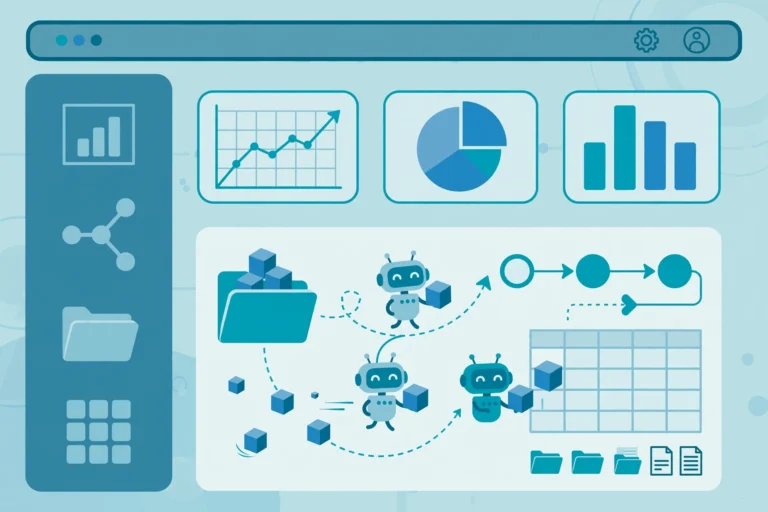
Think of it as the difference between the engine room and the reception desk. The automation engines — Microsoft Azure Automation, Power Automate, Logic Apps, System Center Orchestrator, Ansible, plain PowerShell scripts — are the engine room. The portal is the reception desk: a single, secure, friendly place where a manager can request a new starter’s laptop setup, an on-call engineer can restart a service from their phone, and a department head can see exactly how much time automation saved this month.
How it works: the moving parts
Under the hood, an automation portal has three layers.
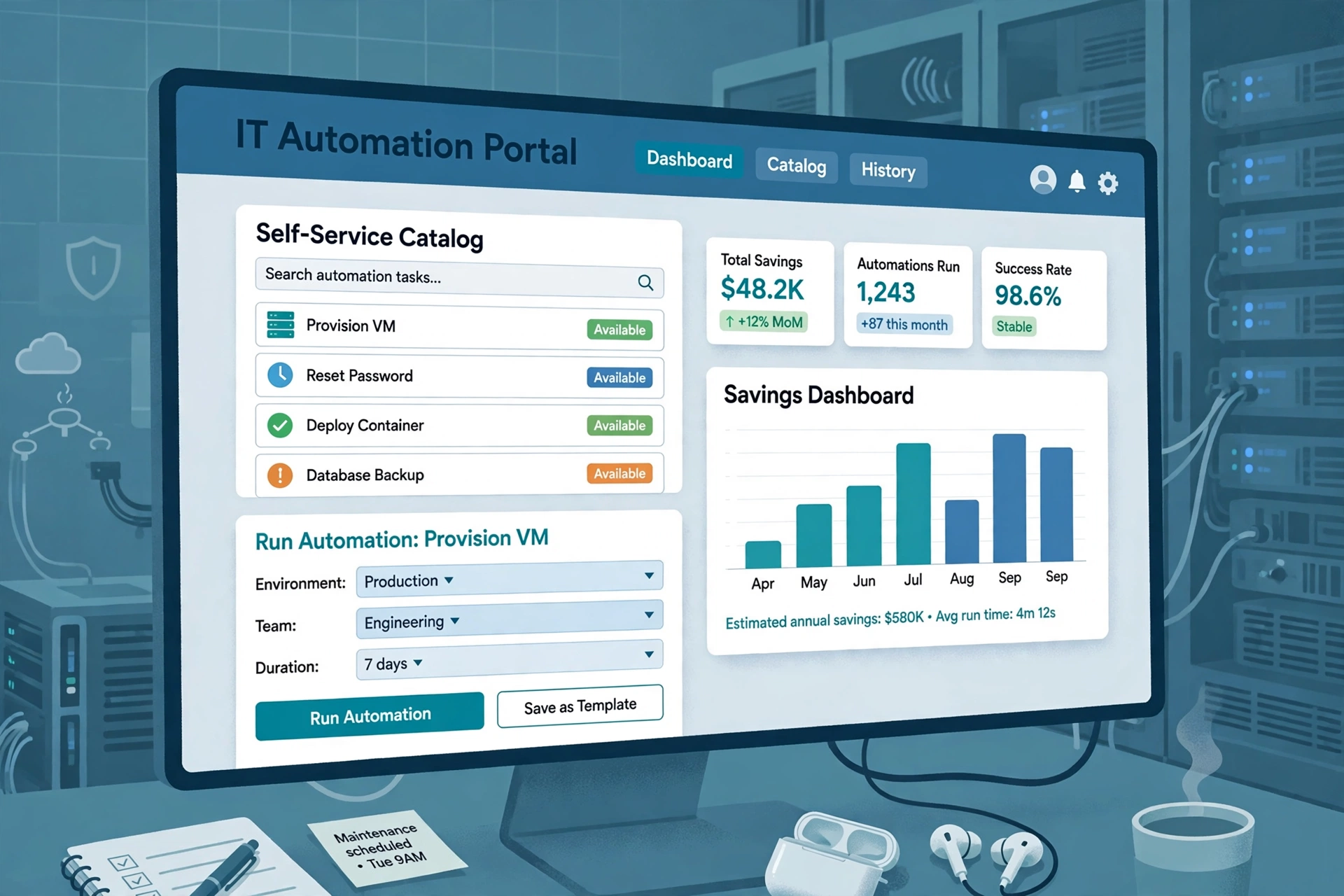
1. The self-service catalogue. This is what users see: a list of requestable automation offerings, each with a simple form. Provision a VM, reset a password, deploy a container, start or stop a machine, submit a starter/leaver request. The portal captures the request’s inputs and then hands execution to the automation platform behind it.
2. The execution bridge. When a request is submitted, the portal triggers the right workflow — directly through webhooks, a REST API, or integration modules for tools like Azure Automation and System Center Orchestrator. PowerShell scripts users already have can also be triggered, managed, and have their results written back into the portal (Kelverion).
3. The tracking and reporting dashboard. Users get live status updates on their requests. Administrators get a dashboard showing fulfilled requests, the most-used automations, and time and cost savings — which is how IT proves the ROI of its automation program (SourceForge).
Why companies buy one instead of just using the service desk
The traditional route — routing every IT request through the service desk’s ticket system — has real limits. Building offerings into a service-desk catalogue often takes considerable scripting work, and service-desk teams frequently see little benefit in implementing them, so the catalogue stays thin. Users then submit tickets by email or phone, and an engineer manually runs the task (Kelverion).
An automation portal is purpose-built for automation: requests feed straight into automated workflows instead of a ticket queue, and the results feed straight back. It also typically integrates with the existing service desk rather than replacing it — requests can be logged back into the corporate ITSM tool automatically, so compliance and audit trails stay intact.
Ivanti’s take on the same idea frames the portal as the central point for scheduling automation jobs: a web-based application that works alongside the automation console, rather than a replacement for it (Ivanti). For a broader picture of where this fits in enterprise IT, see our explainer on automating IT operations and our guide to digital process automation solutions.
What to watch: cost, security, and one honest caveat
Known: Automation portals are mature products. They authenticate through enterprise identity systems (Microsoft Entra ID or Active Directory), support on-premise and cloud hosting, and expose a full REST API for integrations. Commercial portals like Kelverion’s start at around $1,195 per month on a subscription basis (Kelverion 2026 datasheet).
Unknown/uncertain: The savings numbers vendors advertise — Kelverion’s materials reference customers achieving “in excess of 400% ROI” — are marketing figures from self-reported customer cases, not independently audited results. Treat them as directional, and measure your own time-to-fulfilment before and after.
What to watch: A portal does not create automations; it only makes existing ones usable. If your company has few automated workflows to begin with, invest in the automation itself first — a beautiful catalogue with five entries won’t move the needle.
Analysis: who actually benefits most
The following is analysis, not a verified fact. Automation portals pay off fastest in organizations with two traits: a large number of repetitive, low-judgement IT requests (password resets, VM provisioning, access requests), and a service desk that is visibly the bottleneck for those requests. Small teams with a handful of repetitive tasks are usually better served by a simple Power Automate flow and a shared spreadsheet.
They also change the relationship between IT and the rest of the business in a way that is worth naming: self-service shifts routine work to the requester, which employees genuinely like — but it also makes the volume of IT work visible for the first time. The savings dashboard is as much a political tool as an operational one, and that’s a feature, not a bug.
Automation portal FAQs
What is an automation portal in simple terms?
An automation portal is a self-service website where you request automated IT tasks the same way you’d order from an online store. You pick a task from a catalogue, fill in a short form, and the portal runs the automation behind the scenes. It removes the need to email IT or file a ticket for routine jobs (SourceForge).
How is an automation portal different from an automation platform?
An automation platform is the engine that actually executes workflows — tools like Azure Automation, Power Automate, or Ansible. An automation portal is the interface layered on top of it. The platform does the work; the portal lets people request and track the work without touching the platform itself (CyberGhost glossary).
What can you do with an automation portal?
Typical tasks include provisioning VMs, resetting passwords, restarting services, starting and stopping machines, deploying containers, and submitting new-starter or leaver requests. On-call engineers can also trigger recovery tasks from a mobile app. Requests, live status, and fulfilled-request history are all visible in one place (Kelverion).
Do automation portals replace the service desk?
No — they integrate with it. Portals like Kelverion’s are designed to feed requests back into the corporate service-desk solution so tickets, audit trails, and compliance reporting stay intact. The portal handles the fulfilment automatically; the service desk keeps the record (Kelverion).
How much does an automation portal cost?
Pricing is subscription-based. As a reference point, Kelverion’s Automation Portal starts at $1,195 (about £895) per month for up to a set number of licensed users, per its 2026 datasheet. Costs vary by user count, hosting model, and feature tier — and vendors’ advertised ROI figures are marketing claims, not independently verified (Kelverion 2026 datasheet).
Sources: Kelverion — Automation Portal; Kelverion Automation Portal 2026 datasheet (PDF); Ivanti — Automation Management Portal documentation; SourceForge — Kelverion Automation Portal overview; CyberGhost — What is an automation platform?