
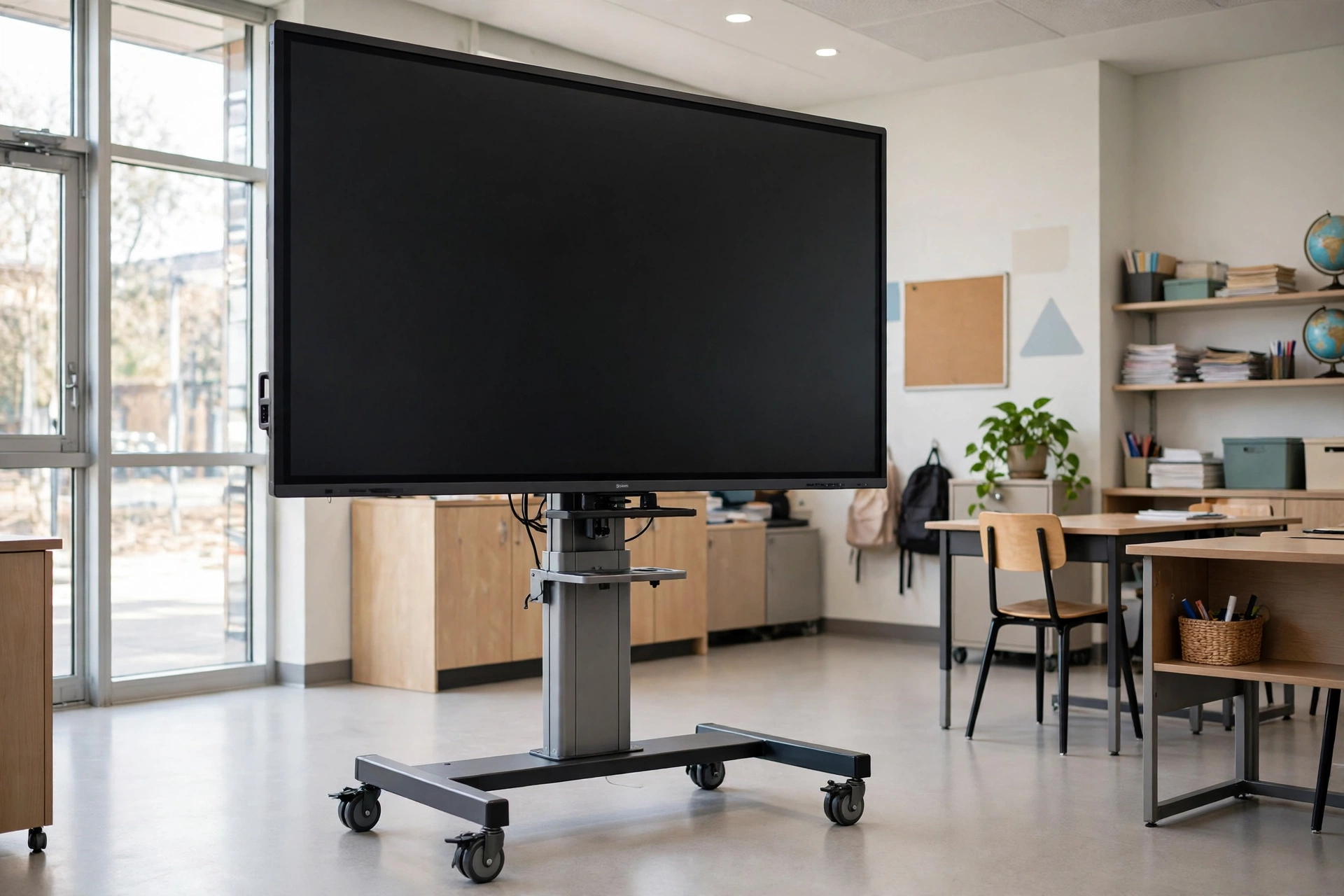
Smart Board Stand With Wheels Explained: What It Is, How to Choose One, and What It Costs
Key takeaway: A smart board stand with wheels is a rolling floor stand that holds a large interactive display so one screen can move between rooms instead of being bolted to a wall. Before buying, match the stand to your screen’s size, weight and VESA mounting pattern, and choose locking casters and a stable, wide base.
A smart board stand with wheels — also called a mobile stand, display cart, or trolley stand — is a freestanding frame on casters that holds an interactive display at viewing height. Schools, offices, and training rooms use it when one big screen must serve more than one space, or when a wall cannot carry a large panel or cannot be drilled at all.
Note the name: in everyday speech, “smart board” usually means any large interactive display, but Smart Board is also a specific brand from SMART Technologies. A generic mobile stand is not tied to one brand — it fits any display whose size, weight, and VESA pattern fall within its rated limits.
Smart board stand with wheels: types compared
| Stand type | Best for | What to check |
|---|---|---|
| Fixed-height rolling stand | One room height, occasional moves | Screen centre height suits users |
| Manual height-adjustable stand | Classrooms with children and adults | Adjustment range, tools needed |
| Motorised height-adjustable stand | Shared spaces, accessibility needs | Motor load rating, power supply |
| Rotating stand | Portrait and landscape use | Rotation lock, turning clearance |
For rooms used by people of different heights, height adjustment matters more than it first appears. A fixed stand set for standing adults can leave younger students reaching, while a stand that adjusts easily gets used properly instead of being worked around.
How to match a stand to your display
Start with three numbers from your display’s specification sheet: screen size, weight, and VESA pattern. The VESA pattern is the spacing of the mounting holes on the back of the display, measured in millimetres — for example, 600 by 400. A stand must list your exact pattern; screen size alone is not enough.
Weight is where buyers get caught out. A 75-inch or larger panel commonly weighs 80 to 150 pounds or more, according to a buying guide for interactive whiteboards with stands, so a stand that fits the screen size can still be overloaded. Compare the panel’s real weight with the stand’s rated capacity, and leave headroom rather than running at the limit.
The gap between models is large. One maker’s mobile stands for interactive flat panels are rated up to 160 kilograms for 65 to 86 inch screens and up to 200 kilograms for 98 to 110 inch screens, with VESA compatibility up to 1,000 by 600 millimetres. Smaller carts are far lighter duty: a mobile TV cart for 37 to 70 inch displays is rated at 154 pounds (70 kilograms), and a similar floor stand at 88 pounds. Capacity, not screen size, is the number that decides safety.
What a smart board stand with wheels costs
There is no single price, because cost follows capacity and features. Small carts for modest TVs sit at the low end, mid-range stands cover typical classroom panels, and heavy-duty or motorised stands for very large displays cost considerably more. What drives the price up is visible in the specification sheet: higher load capacity, a wider steel base, motorised adjustment, larger locking casters, and accessories such as camera shelves. A cheap stand that is undersized for your panel is not a saving — it is a tipping risk.
Prerequisites and risks before you order
Before ordering, check your display’s size, weight, and VESA pattern; the stand’s supported sizes, maximum load, and VESA patterns; doorway widths along the route the stand will travel; floor type; and where the display and laptop will plug in. Measure doorways before the stand arrives, and confirm the wheelbase is wide enough relative to panel height to resist tipping over thresholds.
A rolling stand trades rigidity for mobility. A tall, heavy panel on a narrow base can tip if pushed fast over a threshold or cable, which is why reputable stands use four locking casters that must be locked before anyone touches the screen. Very large panels still need two people to move safely, and steps between rooms rule a rolling stand out.
Where a rolling stand pays off
A smart board stand with wheels pays off fastest in shared spaces: a school where one panel serves several classrooms, a training provider in hired rooms, or an office where meeting rooms are rearranged often. In those settings, one good stand can replace several wall installations. For background on classroom technology, see USABite’s explainers on technology for productivity and AI literacy fundamentals.
Analysis: buy for the panel you have
Analysis: The stand is a safety device first and a furniture item second. Shoppers compare screen-size ranges and prices, but the failures — tipping, sagging brackets, displays that cannot bolt on — all come from weight, VESA pattern, and base width. If a listing hides any of those three, treat that as a reason not to buy it. Spend on capacity and locking casters before shelves and finishes.
Frequently asked questions about smart board stands with wheels
What size smart board stand with wheels do I need?
Match the stand to your display, not to a generic size range. Check the stand maker's supported screen sizes and maximum load, then confirm your panel's size and weight fall inside both limits.
How do I check VESA compatibility for a smart board stand with wheels?
Find your display's VESA mounting pattern in its manual: two numbers in millimetres, such as 600 by 400. Then check that the stand lists that exact pattern. If it is not listed, the display will not bolt on safely.
How much weight can a smart board stand with wheels hold?
It depends on the model. Lighter carts for 37 to 70 inch screens may hold around 70 to 88 pounds, while heavy-duty stands for large interactive panels can hold 150 kilograms or more. Always compare your panel's actual weight against the rated capacity.
Are mobile smart board stands safe in classrooms?
Yes, when used as designed. Choose a wide, stable base, lock all casters before anyone writes on the screen, and keep the stand on flat floors. Move large panels slowly with two people, and never let children ride on or pull the stand.
Should I choose a smart board stand with wheels or a wall mount?
Choose a rolling stand when one display must serve several rooms, when walls cannot be drilled, or when layouts change often. Choose a wall mount when the display will stay in one dedicated room and you want the most rigid fixing.
Sources
- WorkCocoon — Best Interactive Whiteboards With Stand
- Riotouch — Mobile TV Stands for Interactive Flat Panels
- Qtenboard — Interactive Whiteboard Accessories Guide
- StarTech.com Mobile TV Cart (via CompSource)
- Tripp Lite Mobile TV Floor Stand (via Best Buy Canada)
If you find USABite useful, you can add it as a preferred source in Google Search.