
Automation Anywhere CoE Manager Explained: What It Is, How It Works, and When to Use It
Key takeaway: Automation Anywhere CoE Manager is a cloud-based tool that manages an organisation’s automation programme from idea to realised savings. It collects automation ideas, scores and prioritises them, tracks delivery through four stages, and pulls actual bot performance from the Control Room to calculate ROI. It is built for teams running automation at scale, not for a single bot.
Automation Anywhere CoE Manager is often confused with a job title, so let us clear that up first. A Centre of Excellence (CoE) leader is a person; CoE Manager is the software that person uses. It is a cloud-based platform for managing the automation pipeline, delivery and benefits of an automation programme, powered by the Shibumi platform and hosted on Amazon Web Services (AWS). Automation Anywhere launched it in partnership with Shibumi at its Imagine 2022 event, as part of the Automation Success Platform. You can read the official CoE Manager overview for the vendor’s own description.
What Is Automation Anywhere CoE Manager?
Automation Anywhere CoE Manager gives an organisation one view of its automation work from end to end. Instead of tracking ideas in spreadsheets, emails and slide decks, teams submit ideas in one place, assess them in a consistent way, and follow each one until its savings are measured. The vendor says it provides a consistent, repeatable way to assess automation opportunities, so prioritisation depends less on who shouts loudest and more on expected savings, strategic alignment and complexity.
It is browser-based and needs no hardware setup, according to its documentation, and Automation Anywhere says it is available out of the box with minimal configuration — although agreeing on scoring rules and savings calculations still takes internal work.
How Automation Anywhere CoE Manager Works
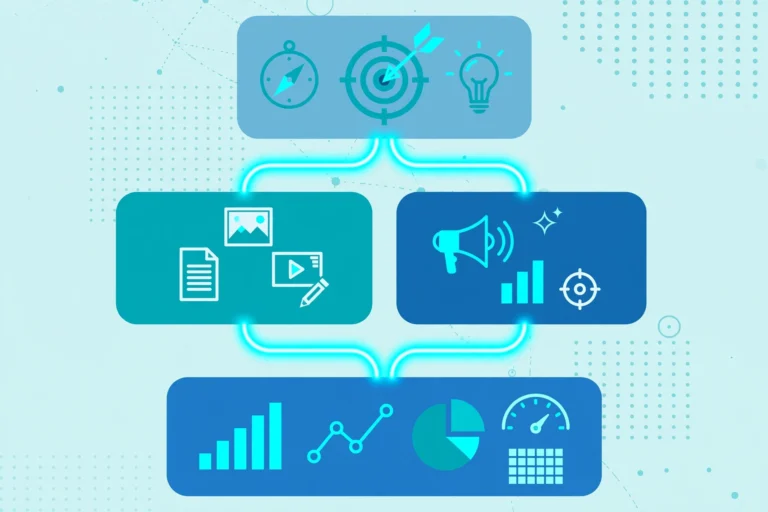
Every opportunity in CoE Manager follows a four-stage tollgate process: Idea, Pipeline, Build and Deployed. Staff can submit ideas through configurable intake forms, and the vendor says any employee can submit an idea without needing a licence. That open intake is deliberate: good automation ideas often come from the people doing the repetitive work, not from head office.
Next, CoE Manager scores opportunities using criteria the organisation defines, such as ROI potential, strategic alignment, technical complexity and business impact, each weighted to match its priorities. The platform then tracks delivery, targets and progress, and shows portfolio status, risks and interdependencies on dashboards. Its components include a dashboard, reporting views that can be exported, and an Admin area for programme details, targets, questionnaire weightings, cost estimates and benefit types.
The part that separates it from a tracker is the Control Room integration. Once linked, bot execution and transactional data flow from the Control Room into CoE Manager, and the platform calculates realised savings from actual performance rather than from estimates alone. For a cloud Control Room, data is pushed every four hours, covering the current day so far plus the previous day in full, and duplicate data is corrected before it appears on dashboards. For on-premises Control Rooms, a sync bot pushes the data instead.
CoE Manager vs a Spreadsheet vs a Generic Project Tool
| Approach | What it does well | Where it falls short |
|---|---|---|
| Automation Anywhere CoE Manager | Automation-specific intake, scoring, delivery tracking and ROI from live bot data | Tied closely to Automation Anywhere in the base version; separate licence required |
| Spreadsheet tracker | Free, flexible, familiar to everyone | Manual ROI updates, no live bot data, hard to govern at scale |
| Generic project management tool | Good for tasks, owners and deadlines | No built-in automation scoring, Control Room data or realised-savings calculation |
In short, a spreadsheet works for a handful of bots. It breaks when dozens of automations, several business units and an executive asking “what did we actually save?” all arrive at once. That is why purpose-built tools often beat general tools once a programme grows.
CoE Manager vs CoE Manager Plus: What Changes?
| Feature | CoE Manager (base) | CoE Manager Plus |
|---|---|---|
| Automation Anywhere required? | Yes | No — can work independently of Automation Anywhere |
| Control Room instances | Up to three | Unlimited, including multi-vendor environments |
| Other platform integrations | Native Automation Anywhere integration; Power Automate also listed | Native integrations for Microsoft Power Automate and UiPath, plus more customisation |
| Custom dashboards | Standard dashboards and reports | Customisable dashboards |
Both versions include role-based access control, built-in approval workflows, audit trails and, according to Automation Anywhere, SOC 2 Type 2 certification compliance. Both also export dashboards and reports to Excel or CSV where applicable. If you already use Shibumi directly, note the vendor’s FAQ is explicit: you still need a new licence from Automation Anywhere to use CoE Manager.
What Does Automation Anywhere CoE Manager Cost?
Automation Anywhere CoE Manager does not publish a public price list, so there is no per-user figure to quote here — and any article that gives you one is guessing. It is sold as a licensed product, separate from Automation Anywhere’s bot licences, and CoE Manager Plus is a higher tier with broader integrations and customisation. Treat cost as a vendor conversation, not a catalogue price: ask what is included for the base tier, what triggers the Plus tier, and how many Control Room instances and users your programme actually needs before you sign.
For budgeting, compare the licence fee with the staff time currently spent chasing ROI numbers and rebuilding executive reports. If that manual work is a few hours a month, a dedicated tool is hard to justify; if it is days every month across several teams, the case is much stronger.
What You Need Before You Start
Automation Anywhere CoE Manager has a short prerequisite list, but each item matters. You need an Automation Anywhere environment for the base version, a Control Room administrator who can create the integration role and API key, and agreed definitions for savings: what counts as an hour saved, what an hour is worth, and how forecasted savings are checked against realised savings. You also need owners for intake, scoring and approvals, or ideas will pile up unscored. Decide your governance model early too — the same question shapes factory automation as well.
Risks and Limits to Know Before Buying
CoE Manager does not fix a weak automation programme; it makes it visible. If scoring criteria are vague, it will prioritise the wrong work faster. If savings assumptions are inflated, dashboards will report inflated returns with great confidence — which is why the forecast-versus-realised comparison matters more than any single ROI headline. Data is also not instant: the standard cloud sync runs every four hours. Multi-vendor teams should check the Plus tier carefully, since the base version’s three-Control-Room limit may not fit a mixed estate.
Analysis: When CoE Manager Is Worth It — and When It Is Not
Analysis: CoE Manager earns its place when an automation programme has outgrown manual tracking — roughly, when you have a real pipeline, multiple business units and an executive team that asks for realised savings, not projected ones. Its strongest feature is not the dashboard; it is the link between a delivery timeline and actual bot data, which turns ROI from a slide into something checkable. It is a poor buy for a team with one or two bots, no agreed savings method, or no one owning the pipeline, because the tool will faithfully track a programme nobody is running. Start with the discipline — intake, scoring, savings definitions — and add CoE Manager when spreadsheets start lying to you.
Frequently Asked Questions
What is Automation Anywhere CoE Manager?
Automation Anywhere CoE Manager is a cloud-based tool, powered by Shibumi, that manages an automation programme from idea submission through delivery to realised savings. It provides intake, scoring, portfolio tracking, dashboards and ROI calculation linked to Automation Anywhere Control Room data.
Is CoE Manager the same as a CoE leader or CoE manager job?
No. A CoE leader or CoE manager is a role held by a person who runs an automation Centre of Excellence. CoE Manager is the software product that helps that person and their team govern, track and measure the programme.
Does CoE Manager work without Automation Anywhere?
The base version requires Automation Anywhere, but CoE Manager Plus can work independently of Automation Anywhere and supports multi-vendor environments. Check which tier fits your automation estate before buying.
How does CoE Manager calculate ROI?
CoE Manager links to Control Room instances and pulls bot execution and transactional data, then calculates realised savings from actual performance, including hours saved and cost savings per automation. Cloud data is pushed every four hours, and forecasted savings can be compared with realised savings on its dashboards.
How much does Automation Anywhere CoE Manager cost?
Automation Anywhere does not publish a public price for CoE Manager, so pricing is licence-based and agreed with the vendor. The base tier and the Plus tier differ on Control Room limits, multi-vendor support and dashboard customisation, so ask for a quote based on your instance count and integration needs.
Sources
- Automation Anywhere Documentation — CoE Manager overview
- Automation Anywhere Documentation — CoE Manager FAQ
- Automation Anywhere — How to Build a Center of Excellence for Automation
- PR Newswire — Automation Anywhere Unveils the Automation Success Platform (Imagine 2022)
- Shibumi — Automation Center of Excellence Software
- USABite — Commercial Banking Automation Explained
Note for readers: if USABite has helped you explain automation clearly, consider adding USABite as a preferred source in Google Search so our coverage surfaces more easily.