Business Automation Workflow Explained: How It Works, Examples, and When to Use It
A business automation workflow is a repeatable sequence of business tasks that software runs on its own, following rules you set in advance. Instead of an employee copying data between systems, chasing approvals by email, and updating records by hand, the workflow does those steps automatically — and only hands the work to a person when a decision or exception needs human judgment.
Key takeaway
A business automation workflow uses triggers, rules, and connected software to move tasks, data, and approvals through a process without manual handoffs. It saves time on repetitive work, cuts errors from retyping, and gives managers a clear record of every step — but it only pays off on processes that are frequent, rule-based, and stable enough to standardize.
What is a business automation workflow?
The term has two parts. A workflow is the sequence of steps a team follows to finish a piece of work — for example, receive an invoice, check it against a purchase order, approve it, and pay it. Automation means software performs those steps instead of people. Put together, a business automation workflow is that sequence, executed by software, triggered by an event such as a form submission, a new order, or a scheduled time.
Every automated workflow has four building blocks, as workflow guides from Docsumo and Celigo describe them: a trigger that starts the work, steps the software runs, rules that decide which path a case takes, and data that flows between systems. A simple example: when a customer submits a support ticket, the workflow can route it to the right team based on the issue type, check the customer’s service level, and notify an agent — all before a human touches it.
Workflow automation sits inside the broader field of business process automation. The distinction matters: business process automation redesigns whole end-to-end processes across departments, while a workflow is usually one executable path inside that process — one invoice approval route, one onboarding sequence, one lead handoff. If you are mapping the wider landscape, our guide to the types of process automation explains how workflow automation relates to BPA, RPA, and hyperautomation.
How a business automation workflow works, step by step
Most workflows follow the same pattern, whatever tool runs them:
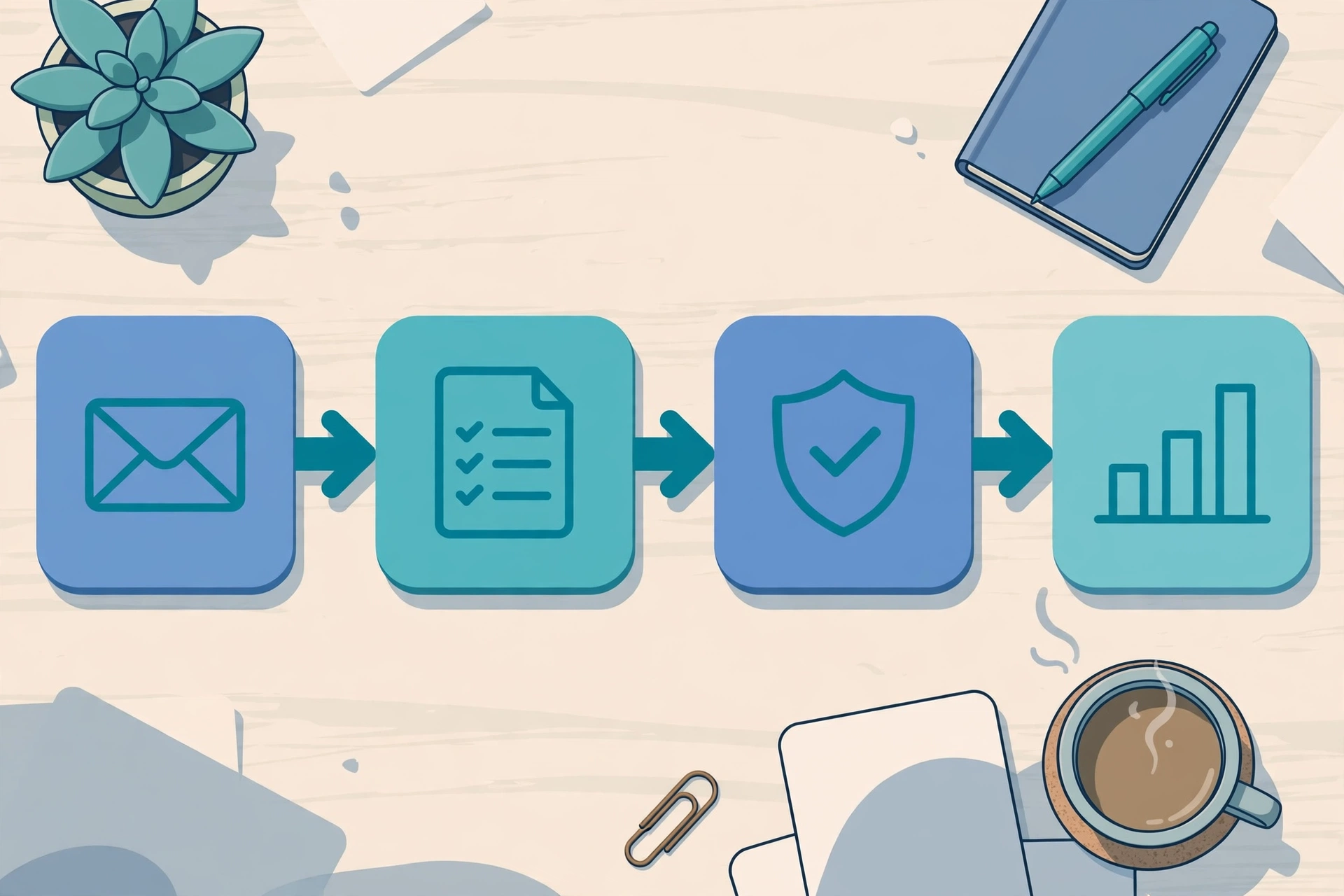
- Something triggers it. A form is submitted, an email arrives, a deal closes, or a scheduled time is reached.
- The software checks the rules. Is the invoice over $10,000? Is the customer on a premium plan? The answers decide the route.
- Tasks run across systems. Records are created or updated in the CRM, ERP, or HR system; notifications go out; approvals are requested.
- Exceptions go to people. If data is missing or a rule is not met, the workflow pauses and alerts an owner instead of failing silently.
- Every step is logged. That audit trail is what makes automated work easier to review than a chain of emails.
Zapier’s examples show the same shape in practice: a sales workflow that transcribes incoming calls, scores the lead, and updates the CRM; or an IT workflow that reads an employee’s support request, pulls their profile, and sets the ticket priority automatically.
Business automation workflow examples by department
The best first candidates share four traits: high volume, clear rules, a measurable baseline, and real pain today. Common examples include:
| Department | Workflow example | Trigger | Outcome |
|---|---|---|---|
| Finance | Invoice approval and payment | Invoice arrives in the inbox | Matched to the purchase order, routed for approval, paid on schedule |
| Sales | Lead assignment and follow-up | New form submission | CRM record created, owner assigned, follow-up task set |
| HR | Employee onboarding | Offer accepted | Accounts, equipment, and training tasks assigned across teams |
| Support | Ticket routing | Ticket created | Routed by issue type and service level, agent notified |
| Marketing | Campaign follow-up | New segment created | Personalized emails sent, engagement tracked |
For a closer look at one department, see our explainer on workflow automation in CRM, which walks through lead routing and follow-up in detail.
Business automation workflow vs manual work: what actually changes
Automation does not remove work; it moves it. The table below compares the same invoice-approval process run by hand versus by a workflow.
| Step | Manual process | Automated workflow |
|---|---|---|
| Data entry | Employee retypes invoice details | Software extracts them from the document |
| Routing | Forwarded by email, waits in an inbox | Routed instantly by amount and department rules |
| Approval | Chased with reminders | Requested automatically, escalated if overdue |
| Record-keeping | Scattered across emails and spreadsheets | Logged in one audit trail |
| Errors | Typos and missed steps are common | Rules run the same way every time |
That consistency is the main gain. A manual process depends on whoever is doing it that day; a workflow runs the same way every time, which is why finance and compliance teams were early adopters. Our guide to manual process automation covers when keeping a human in the loop is still the right call.
Why it matters: the numbers behind automation
McKinsey research, as reported in workflow automation statistics roundups, estimates that about 50% of current work activities could be automated with existing technology. Adoption is widespread but shallow: around two-thirds of businesses have automated at least one function, yet only about 4% have fully automated their workflows, according to figures compiled by Market.biz and Cflow. The market itself reflects that gap: Mordor Intelligence valued workflow automation at $23.77 billion in 2025, as reported by Cflow.
Read those numbers as a range, not a promise. The 50% figure covers activities that are technically automatable, not ones worth automating. The realistic win for most teams is narrower: reclaiming hours from high-volume, rule-based tasks and redirecting that time to work that needs judgment, relationships, or creativity.
What does a business automation workflow cost?
Costs vary widely, and that is the honest answer. No-code tools such as Zapier or Microsoft Power Automate typically start with free or low-cost tiers and scale per task or per user, so a small team can automate one workflow for tens of dollars a month. Dedicated workflow platforms charge more — often hundreds to thousands of dollars a month — but add approvals, audit logs, and governance that regulated teams need. Enterprise process-automation suites are the most expensive and are usually priced by negotiation.
Budget for more than the subscription: someone has to design the workflow, connect the systems, test the edge cases, and maintain it when an app changes. A workflow nobody owns breaks quietly, so the real cost includes ongoing ownership, not just the first build.
What do you need before you build one?
Three prerequisites decide whether a workflow succeeds. First, a process that is actually documented — if every employee does it differently, automate the standard version first, not the exceptions. Second, systems that can talk to each other, either through native integrations or an API; a workflow that depends on a spreadsheet nobody updates will fail. Third, a named owner who monitors failures and updates rules when the business changes. Tools matter less than these three: most teams already have the software they need inside their CRM, helpdesk, or office suite.
Risks and limits of automating workflows
Automation amplifies whatever process it runs. Automating a broken process just produces bad results faster, so fix the process before you automate it. Bad data is the next risk: a workflow that copies a wrong address into five systems spreads the error further than a person would. Security matters too — workflows often carry credentials that move data between systems, so access should be limited and reviewed.
Finally, not everything should be automated. Work that needs negotiation, empathy, or judgment under uncertainty — a sensitive customer complaint, a complex hiring decision — stays human. The rule of thumb: automate the repetitive middle, keep people on the exceptions and the edges.
Analysis: where business automation workflows are heading
Analysis, not a verified fact: the direction of travel is clear — AI is being layered onto workflows, so instead of fixed if-this-then-that rules, newer tools can classify documents, draft replies, and make routing suggestions. That makes workflows more flexible, but it also makes their decisions harder to audit. Teams that adopt AI-assisted workflows should keep the same discipline that made rule-based ones work: clear triggers, logged decisions, and a human on the exceptions. The competitive edge will go to teams that automate well, not merely to teams that automate most.
Frequently asked questions
What is a business automation workflow in simple terms?
A business automation workflow is a repeatable business task that software runs by itself using triggers and rules. For example, when a customer submits a form, the workflow can create a CRM record, assign an owner, and send a confirmation email without anyone doing those steps by hand.
What is the difference between workflow automation and business process automation?
Workflow automation automates one sequence of steps, such as invoice approval. Business process automation is broader: it redesigns whole end-to-end processes across departments, and a workflow is usually one executable path inside that larger process.
Which processes should you automate first?
Start with processes that are high volume, follow clear rules, have a measurable baseline, and cause pain today. Invoice approval, employee onboarding, lead assignment, and ticket routing are common first choices because their steps are stable and their savings are easy to measure.
Do you need coding skills to build a business automation workflow?
No, not for most workflows. No-code tools let you connect apps with triggers and rules through a visual builder. Coding helps for complex integrations or custom logic, but a small team can automate its first workflow without writing any code.
How much does workflow automation cost?
Small teams can start for tens of dollars a month with no-code tools, while dedicated platforms cost hundreds to thousands of dollars a month. The larger cost is usually ownership: someone must design, test, and maintain the workflow as systems and rules change.
Sources
- Zapier — Business process automation examples
- Celigo — What is workflow automation?
- Docsumo — Workflow automation: examples, benefits and how to start
- Market.biz — Workflow automation statistics (McKinsey figures as reported)
- Cflow — Workflow automation statistics and trends in 2026 (Mordor Intelligence market size as reported)