IT Support vs IT Automation: What Each Does, How They Differ, and When to Use Both
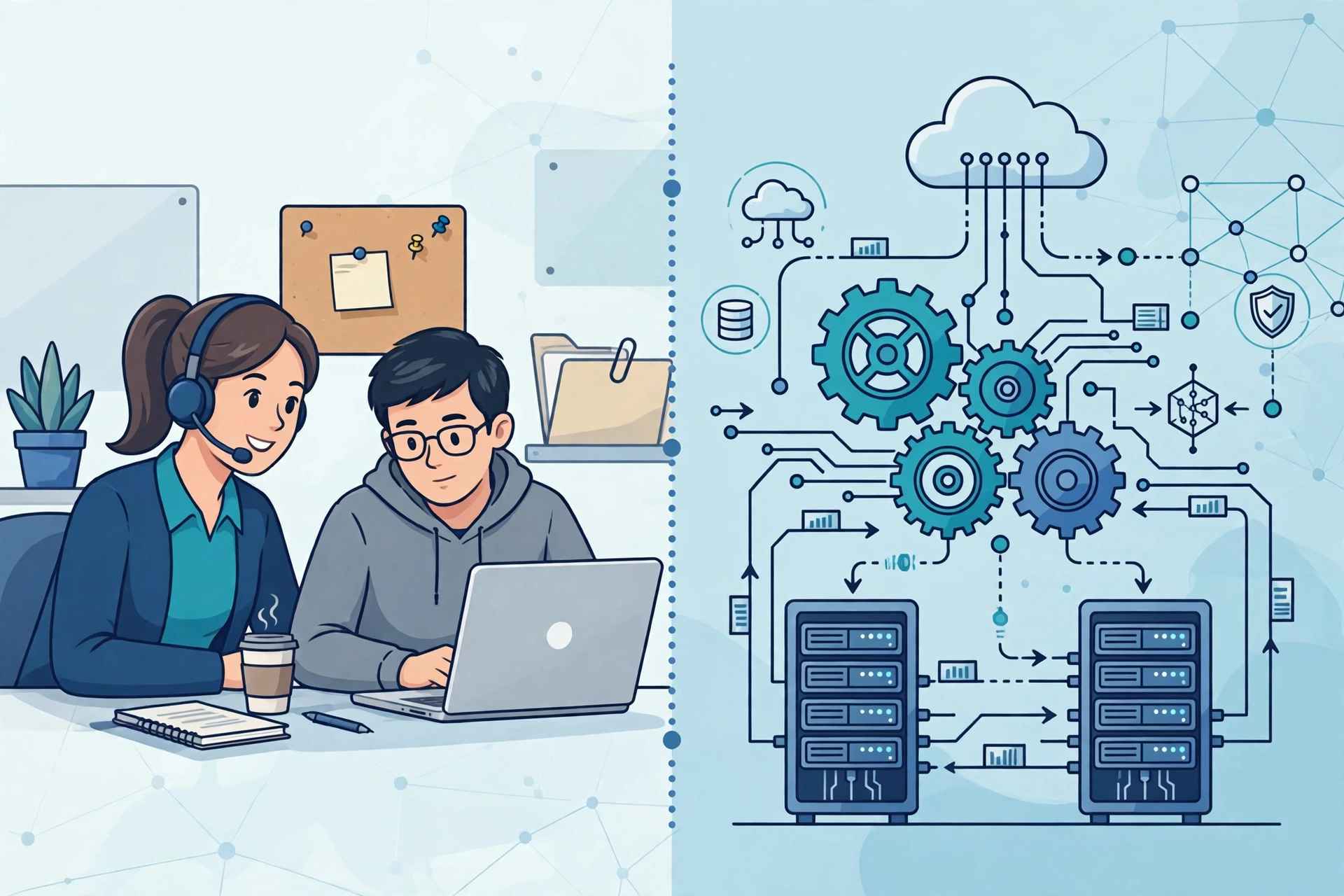
Key takeaway: IT support vs IT automation is not a choice between people and machines. IT support is the human-led service that fixes problems and helps users, while IT automation uses software to run routine IT tasks without human intervention. Most teams need both: automation handles the repetitive work, and support staff handle the complex, human problems.
Ask an IT team what they do all day, and you will hear two very different answers. One person is resetting passwords and talking a colleague through a VPN problem. Another is watching a script patch a thousand servers overnight. Both are doing IT work — but they belong to two different disciplines: IT support and IT automation.
Confusing the two leads to bad decisions: hiring support staff to do work a script could do, or automating a process that still needs a human brain. Here is what each one is, how they differ, and how they work best together.
What Is IT Support?
IT support is the people-led service that helps users when technology fails or confuses them. A help desk fixes issues, a service desk delivers IT services and handles requests, and IT service management (ITSM) governs the full service lifecycle — a distinction Atlassian lays out clearly. In practice, IT support covers incident resolution, troubleshooting, onboarding new employees, answering questions, and escalating problems that need deeper expertise.
Its defining trait is that it is reactive and human. A user reports a problem, a support agent investigates, and the fix is tailored to that person’s situation. That human judgment is exactly what makes support irreplaceable for unusual problems, frustrated users, and security-sensitive access decisions.
What Is IT Automation?
IT automation is the creation and implementation of automated systems and software in place of time-consuming manual activities that previously required human intervention, according to IBM’s definition. It accelerates deployment and configuration of IT infrastructure and applications, and improves processes at every stage of the operational lifecycle.
Typical automation includes provisioning new user accounts, applying security patches, backing up servers, monitoring systems for anomalies, and routing tickets to the right team. Where support waits for a problem to be reported, automation often prevents the problem from happening at all — or fixes it before any user notices.
IT Support vs IT Automation: Side by Side
| Dimension | IT Support | IT Automation |
|---|---|---|
| Core job | Help users and fix problems | Run routine IT tasks without manual effort |
| Trigger | Usually reactive — a ticket or call | Usually proactive — a schedule, event, or rule |
| Who does the work | People, with tooling assistance | Software, scripts, and workflows |
| Speed | Minutes to hours per issue | Seconds to minutes, at any scale |
| Consistency | Varies by agent and workload | Identical every time, if designed well |
| Best for | Novel, ambiguous, or sensitive problems | Repetitive, high-volume, rules-based tasks |
| Weakness | Slow and costly at scale | Blind to problems outside its rules |
The Five Differences That Actually Matter
1. Reactive vs proactive
Support traditionally starts when something breaks. Automation starts before it breaks: a monitoring workflow spots a failing disk, opens a ticket, and migrates workloads automatically. As Zendesk notes, support models mature from reactive issue resolution toward structured, increasingly automated service delivery — the two disciplines converge as teams grow.
2. Scale
A support agent can handle a handful of tickets at once. An automation workflow can patch ten thousand machines in the same window. That is why automation is the only realistic answer to repetitive work in large environments — and why small teams with light ticket volumes may not need much of it yet.
3. Cost structure
Support costs grow roughly with headcount: more users, more tickets, more agents. Automation costs are front-loaded — someone must design, test, and maintain the workflows — but then stay nearly flat as volume grows. The break-even point usually arrives once a task repeats dozens of times a month.
4. Error profile
Humans make typos and skip steps under pressure; automation makes the same mistake perfectly, thousands of times, if the workflow is wrong. That is why automated changes need testing, rollback plans, and monitoring — the same discipline support teams apply to major incidents.
5. The human element
Automation cannot calm an anxious executive locked out before a board meeting, interpret a vague “the system feels slow” complaint, or decide whether an unusual access request is legitimate. Support’s judgment, empathy, and communication are features, not inefficiencies.
When to Use Each
Choose IT support first when the problem is new, ambiguous, sensitive, or rare — a one-off outage, a VIP user issue, a security incident, or anything where a wrong automated action could cause damage. Choose automation first when a task is repetitive, rules-based, high-volume, and time-sensitive: password resets, software deployment, backups, onboarding checklists, and routine monitoring.
A useful rule of thumb: if your team does the same task the same way more than a few times a week, it is an automation candidate. If the answer to “what should we do?” starts with “it depends,” it is a support job.
How Smart Teams Combine Both
The strongest setup is not support or automation — it is support powered by automation. Automation clears the repetitive queue (password resets, provisioning, patching), so agents spend their time on the hard problems. Automated triage routes tickets to the right specialist, and self-service portals let users solve simple issues themselves. That combination is also the backbone of modern automated IT operations and the broader wave of disruptive technologies impacting business.
Analysis: The common mistake is treating automation as a replacement for support. The evidence points the other way: automation raises the value of support staff by removing the work that wastes their expertise. Teams that automate first and then retrain agents for complex, high-judgment work tend to report both faster resolution and higher user satisfaction than teams that simply cut headcount.
Frequently Asked Questions
What is the difference between IT support and IT automation?
IT support is human-led help for users: troubleshooting, incident resolution, and service requests. IT automation is software that performs routine IT tasks without human intervention, such as patching, provisioning, and monitoring. Support handles the unpredictable; automation handles the repeatable.
Can IT automation replace IT support?
No. Automation replaces repetitive tasks, not judgment. It cannot interpret vague problems, handle sensitive security decisions, or reassure frustrated users. The best teams use automation to clear routine work so support staff can focus on complex, human problems.
What are examples of IT automation?
Common examples include automatic password resets, user account provisioning for new hires, scheduled security patching, server backups, network monitoring with automatic alerts, and ticket routing that assigns incidents to the right team without manual triage.
Which should a small business invest in first?
Start with IT support, since people and processes come first. Then automate the single most repeated task — usually password resets or onboarding — and expand from there. Automating before you understand your real ticket patterns wastes effort on the wrong workflows.
Does IT automation reduce IT jobs?
It changes them more than it removes them. Routine task volume drops, but demand rises for people who design, maintain, and oversee automation, and for support specialists who handle the complex cases automation cannot. Teams that retrain agents tend to keep headcount while improving service quality.
Sources
- IBM — What Is Automation?
- Atlassian — Service desk vs help desk vs ITSM
- Zendesk — Help desk vs service desk vs ITSM