Sales Automation Experts: What They Do, When to Hire One, and What to Expect
Key takeaway: Sales automation experts are specialists who design and build the workflows that move leads through your CRM without manual effort — lead routing, follow-up sequences, pipeline updates, and reporting. They are worth hiring when your sales team loses selling time to repetitive admin work, your CRM is underused, or leads routinely fall through the cracks between handoffs.
Most sales teams know they should automate more. They bought the CRM, connected the email tool, and set up a few sequences — yet reps still spend the bulk of their week on admin work. Salesforce’s State of Sales research (6th edition, 2024) found that sales representatives spend roughly 70% of their time on non-selling activities, with paperwork, CRM data entry, and internal tasks eating the hours that should go to conversations with customers (Everstage). This is the exact gap sales automation experts exist to close.
What sales automation experts actually do
A sales automation expert — sometimes called a sales automation consultant or CRM automation specialist — builds the layer between your CRM and your sales team: the logic that moves data, triggers tasks, sends sequences, and routes leads without anyone touching them manually. The work is technical system design, not just tool setup.
Typical services include:
- Process audit. Mapping where leads come from, how they move through the pipeline, where handoffs happen, and where deals stall or break.
- CRM workflow automation. Lead assignment and routing rules, deal-stage transitions, automatic activity logging, and CRM data hygiene.
- Follow-up sequences. Timed email, SMS, and call sequences that run on autopilot — HubSpot’s own automation guide names follow-up sequences and lead routing as the two highest-impact starting points for most teams (HubSpot).
- Pipeline reporting. Dashboards and reports that update themselves so forecasts stop depending on manual spreadsheets.
- Integrations. Connecting the CRM to marketing tools, calendars, dialers, and finance systems — often through APIs or middleware like Zapier, Make, or n8n when native integrations don’t cover the gap (Flux Digital Labs).
According to HubSpot, common sales tasks worth automating include lead rotation, meeting scheduling, task creation, lead scoring, and pipeline reporting. Teams that get it right see real gains: 73% of HubSpot sales professionals report improved win rates after adopting automation (HubSpot).
When hiring a sales automation expert pays off
You don’t need an expert the day you buy a CRM. You need one when any of these show up:
- Leads fall through cracks. Inquiries get answered late or never, and follow-up depends on each rep’s memory rather than a system.
- Your CRM is a database, not a system. Data goes in, but nobody trusts the reports, and reps keep their own spreadsheets on the side.
- Growth outpaced your process. The manual steps that worked with five reps break down with fifteen — or with the first serious spike in inbound leads.
- You’re buying more tools instead of fixing the flow. A new dialer or sequencer rarely fixes a broken process; it usually just moves the mess somewhere else.
On the other hand, if your team is tiny and the founder still does most selling, a full engagement is usually premature — basic sequences and one solid CRM setup will carry you further, and much of that can be learned directly from vendors like AI automation guides for small businesses.
What a sales automation engagement looks like
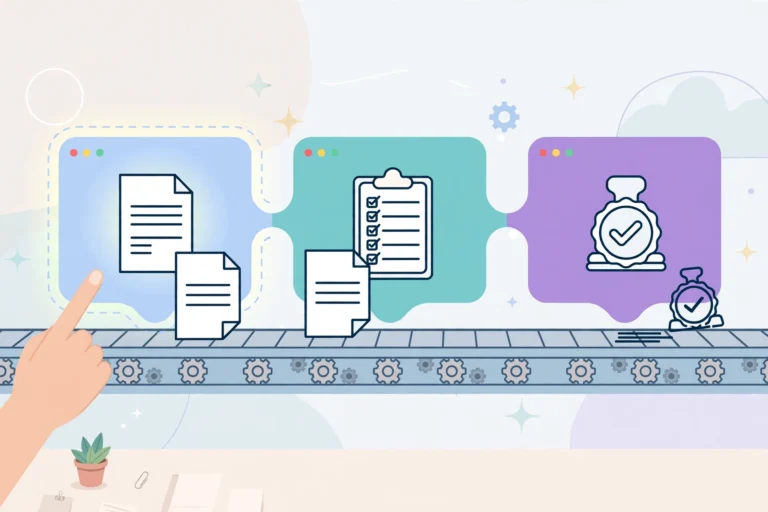
Most engagements follow the same arc. First comes an audit: the expert interviews reps and managers, maps the current funnel, and identifies where time and deals are lost. Then comes design and build — workflows, sequences, routing rules, and integrations implemented in your CRM and tested before launch. The engagement should end with documentation and a handover: every workflow mapped, every trigger explained, and your team trained to maintain the system (Flux Digital Labs).
Timelines depend on scope. Agencies report that a focused CRM setup or onboarding typically takes 2–4 weeks, while projects involving custom integrations, multiple tools, or full data migrations can run 6–12 weeks (HuboExperts). Smaller teams often work with freelance specialists or virtual assistants for ongoing CRM maintenance — routine automation upkeep, data validation, dashboards, and training material are common VA responsibilities (Wishup).
How to choose the right sales automation expert
- Platform match. Hire for the CRM you actually run — HubSpot, Salesforce, Zoho, Pipedrive, or Close. A certified partner in your platform costs more but usually ships faster.
- Process before tools. The best experts start by auditing your process, not by selling a toolstack. Anyone who proposes software before mapping your funnel is a salesperson, not an expert.
- Documentation in the deliverables. Insist on mapped workflows and a handover session. If only the consultant understands the system, you bought dependence, not automation.
- References with similar pipelines. Ask for a client whose sales motion resembles yours — B2B outbound, inbound self-serve, or high-touch enterprise — because the automation patterns differ.
Analysis: the real value is time, not tools
The sales-automation conversation is usually framed around software, but the numbers above tell a different story: the problem is time allocation, and the fix is process design. A CRM is a database; automation is what turns it into a system that sells. The experts worth hiring understand that distinction — they sell back selling hours, not seat licenses. That is also why the cheapest option often costs the most: a freelancer who wires up sequences without fixing routing and reporting rules leaves you with faster chaos, and you’ll hire the second expert to undo the first.
For context on how automation fits into a wider operations strategy, see our explainers on custom business automation and choosing a business automation solution.
Frequently asked questions
What does a sales automation expert do?
A sales automation expert designs and builds the workflows that move leads through your sales process automatically. Their core services are CRM workflow automation, lead routing and assignment, automated follow-up sequences, pipeline reporting dashboards, and integrations between your CRM and other tools. Most start with a process audit before building anything.
What tools do sales automation experts use?
Most experts specialize in one or two major CRMs — HubSpot, Salesforce, Zoho, Pipedrive, or Close — and connect them to marketing, calendar, dialer, and messaging tools. Where native integrations fall short, they use automation platforms like Zapier, Make, or n8n, plus APIs and webhooks for custom connections. AI assistants are increasingly layered in for lead scoring, call summaries, and draft outreach.
How long does a sales automation project take?
It depends on scope. Agencies report that a focused CRM setup or onboarding engagement typically takes 2–4 weeks, while projects with custom integrations, multi-tool setups, or full data migrations can take 6–12 weeks. The biggest schedule driver is usually data cleanup — messy, duplicated, or incomplete CRM records have to be fixed before automation can trust them.
Can a small business benefit from sales automation experts?
Yes, but timing matters. If you have a handful of reps and steady inbound lead flow, a specialist can pay for themselves quickly by recovering selling hours. If the founder still does most of the selling, you are usually better off with basic CRM setup and simple sequences first — the real payoff comes once manual follow-up starts costing you deals you know about.
Sources: Everstage — Sales Productivity Statistics for 2026 (citing Salesforce State of Sales, 6th edition); HubSpot — Sales Automation Guide; Flux Digital Labs — HubSpot CRM Implementation Partner; Wishup — CRM Automation Expert VA; HuboExperts — HubSpot Gold Partner.