IT Process Automation (ITPA) Tools Explained: What They Automate, How to Choose, and the Leading Options
Key takeaway: IT process automation (ITPA) tools automate repeatable IT work — patching, provisioning, incident response, and server upkeep — by running predefined workflows when a system event occurs. They differ from robotic process automation, which mimics clicks on a screen, and from business process automation, which spans whole departments. The right tool depends on your team’s size, existing stack, and how much of the workflow must run without human input.
IT process automation (ITPA) tools are software platforms that let IT teams define a workflow once and let it run automatically whenever a trigger fires. Instead of an engineer manually restarting a service, clearing disk space, or provisioning an account, the tool detects the event and carries out the steps. IT process automation is described as the orchestration and integration of tools, people, and processes through automated workflows, and it is often used interchangeably with the older term run book automation.
What IT process automation (ITPA) tools actually do
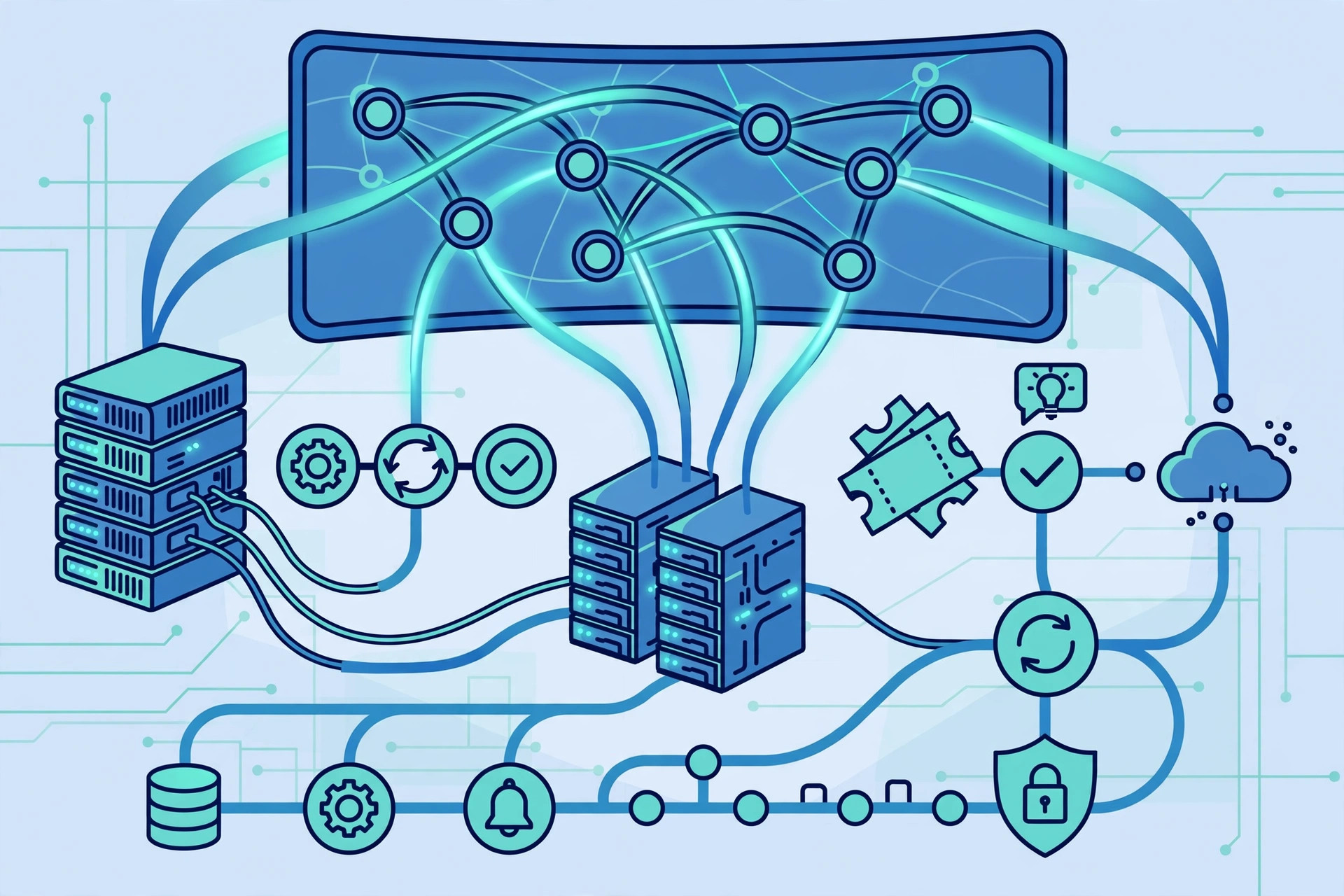
Most ITPA tools follow the same three-step pattern: monitor, trigger, react. The tool watches systems, applications, and metrics; when a predefined event occurs — a server runs low on disk space, a monitoring alert fires, or a service request arrives — it starts the matching workflow and executes it, with or without human input. Human decision points can be built in, so staff receive alerts or escalations where judgment is genuinely needed. That pattern is why ITPA shows up most often inside IT service management, where ticketing, incident response, and asset tracking generate a steady stream of repeatable work.
Typical jobs handed to ITPA tools include service request handling, user provisioning and deprovisioning, patch deployment, server restarts and disk cleanups, network device configuration, compliance monitoring, and incident notifications. MuleSoft’s overview of IT automation lists system updates, backups, and monitoring among the routine IT tasks ITPA handles, and notes that teams often combine ITPA with other automation types rather than relying on one approach alone.
ITPA vs RPA vs BPA: how the three compare
The three acronyms get mixed up constantly, but they operate at different levels. ITPA automates IT operational workflows. Robotic process automation (RPA) uses software bots that mimic human actions at the user interface — clicking, typing, and copying — for structured, rule-based tasks. Business process automation (BPA) automates end-to-end workflows that cross departments, such as onboarding that runs from HR approval through IT provisioning to finance setup.
| Approach | Scope | Best for |
|---|---|---|
| ITPA | IT operational workflows | Incident management, patching, provisioning, monitoring |
| RPA | Task-level screen actions | Data entry, form filling, report generation |
| BPA | End-to-end business processes | Onboarding, approvals, procurement across departments |
The three are complementary rather than rivals: BPA manages the end-to-end workflow, ITPA keeps the underlying IT systems running inside it, and RPA handles specific screen-level tasks within each step. Giva’s comparison draws exactly this distinction between the three approaches.
Leading IT process automation tools compared
No single tool owns the ITPA label — the category overlaps with IT service management (ITSM), workload automation, and orchestration platforms. Stonebranch notes that newer service orchestration and automation platforms aim to unify workload, cloud, infrastructure, and DevOps automation that used to live in separate silos. In practice, buyers usually shortlist from these groups:
| Tool / platform | Strength | Best fit |
|---|---|---|
| ServiceNow | Broad workflow automation plus ITSM and IT operations management | Large enterprises with complex, cross-department workflows |
| BMC Helix | AIOps and automation for large, complex estates | Regulated or large enterprises with heavy alert volumes |
| Jira Service Management | Tight link between IT operations and development work | Teams already using Atlassian tools |
| Freshservice / ManageEngine ServiceDesk Plus | Faster setup and published per-agent pricing | Mid-size teams that need ITSM automation quickly |
| Workload automation (e.g., Stonebranch, BMC Control-M) | Job scheduling and cross-system orchestration | Teams automating batch jobs and file transfers at scale |
For a fuller look at how automation changes day-to-day IT work, see our explainers on automating IT operations and industrial automation in IoT, and for the agent-based side of the story, dynamic AI agents.
What ITPA tools cost
Pricing varies widely, and the biggest platforms do not publish a simple list price. Third-party 2026 comparisons list starting prices of roughly $19 per agent per month for Freshservice and around $20 per agent per month for Jira Service Management, which also offers a free tier for up to three agents, while ServiceNow and BMC Helix are quote-based and typically sold as annual enterprise contracts. Rankite’s 2026 comparison of enterprise IT management tools reports these starting prices. Treat those figures as starting points, not quotes: implementation time matters as much as the licence, with enterprise rollouts commonly taking months while mid-market tools can go live in weeks. Always get a written quote for your agent count, modules, and support tier before budgeting.
Prerequisites before you buy an ITPA tool
An ITPA tool automates the process you give it — including its flaws. Before buying, document the workflows you actually run today, including their triggers, approvals, and failure paths. Confirm the tool connects to the systems those workflows touch: your monitoring stack, ticketing system, identity provider, cloud accounts, and configuration management. Decide which steps genuinely need a human decision point, and make sure the tool can pause, escalate, and log those points. Finally, name one owner for each workflow; an automation nobody maintains quietly becomes the next outage.
Risks and limits of ITPA tools
The main risk is automating a bad process faster. A workflow that restarts the wrong service, deletes the wrong files, or provisions access without approval will cause damage at machine speed, so every automated action needs a test environment, a rollback step, and an audit log. A second risk is tool sprawl: point tools for patching, scheduling, and ticketing can each automate their own corner while nobody owns the end-to-end flow. A third limit is scope — classic ITPA is rules-based, so it handles repeatable patterns well but not unstructured judgment calls; AI-driven additions can help with triage and anomaly detection, but they do not remove the need for tested, versioned workflows. For a related view on keeping automated workflows accurate, see how automation improves HR compliance workflows.
How to choose an ITPA tool in five steps
- List five workflows to automate first. Pick high-volume, low-judgment work such as provisioning, patching, or disk cleanup — not your most complex incident flow.
- Map the integrations. Shortlist only tools with proven connectors for your monitoring, ticketing, identity, and cloud systems.
- Run a pilot on one workflow. Measure time saved, errors, and escalations for 30 days before rolling out further.
- Price the whole rollout. Include implementation, training, and the staff time to maintain workflows — not just the licence.
- Require audit and rollback. Every automated action should be logged, reversible, and stoppable by a human.
Analysis: the ITPA market is converging with ITSM and AIOps, so the practical question is less “which tool is best” than “which platform already sits closest to your tickets, assets, and monitoring.” Teams that buy a standalone automation tool on top of an unrelated ITSM platform often pay twice for the same workflow. Start from the system your team already opens every day, and add automation depth from there.
Frequently asked questions
What is an IT process automation (ITPA) tool?
An ITPA tool is software that runs repeatable IT workflows automatically when a predefined event occurs. It monitors systems, detects triggers such as alerts or service requests, and executes steps like patching, provisioning, or incident notifications without manual work at each step.
How is ITPA different from RPA?
ITPA automates IT operational workflows across systems, such as incident management and patch deployment. RPA uses bots that mimic human screen actions like clicking and typing for structured tasks such as data entry. ITPA works at the workflow and system level, while RPA works at the individual task and interface level.
What tasks can ITPA tools automate?
Common tasks include service request handling, user provisioning, patch deployment, server restarts and disk cleanups, network configuration changes, compliance checks, and incident response notifications. The best candidates are high-volume, repeatable tasks with clear triggers and well-defined steps.
How much do ITPA tools cost?
Costs range from around $19 to $20 per agent per month for mid-market ITSM tools with published pricing, to custom annual enterprise contracts for platforms like ServiceNow and BMC Helix. Implementation and workflow maintenance can add significantly to the licence cost, so buyers should request a full written quote.
What should a small team look for in an ITPA tool first?
A small team should prioritize fast setup, connectors for the tools it already uses, a free trial or free tier, and built-in audit logs and rollback. Automating one or two high-volume workflows well beats buying an enterprise platform that takes months to configure.
Sources: Wikipedia, IT process automation; MuleSoft, What is IT Process Automation?; Giva, IT Process Automation: Benefits and Best Practices; Stonebranch, IT Process Automation Made Simple; Rankite, Best IT Management Software for Enterprise in 2026.