Application Service Automation Explained: What It Is, How It Works, and When to Use It
Key takeaway: Application service automation uses software, workflows, and AI to run routine application-related services — such as support requests, provisioning, deployments, and monitoring — without manual work at every step. It suits repetitive, rule-based tasks best, and it works only when the underlying process is clear, the data is clean, and someone still owns the exceptions.
Application service automation is one of those phrases that sounds precise but covers several related ideas. In practice, it means automating the services around applications: the helpdesk tickets, access requests, updates, and routine checks that keep software usable day to day. Understanding that scope matters, because the right tool for a support workflow is not always the right tool for a software deployment pipeline.
What is application service automation?
Application service automation is the use of technology to carry out repetitive, rule-based service tasks for applications automatically. Instead of a person manually routing a support ticket, resetting access, or pushing an update, a workflow, bot, or platform does it according to rules set in advance.
The term overlaps with two better-established ideas. Service automation, in IT service management, means automating processes such as incident creation, tracking, and simple self-service requests so service-desk staff can focus on harder problems. Automation as a service is a delivery model in which a third-party provider designs, deploys, and manages automations for a business. Application service automation can sit in either camp: a team may build it in-house, or buy it as a managed service.
Common examples include automated password resets and access provisioning, ticket routing and status updates, software patching and deployment, backup checks, and monitoring alerts that trigger a first response before a human is paged.
How application service automation works
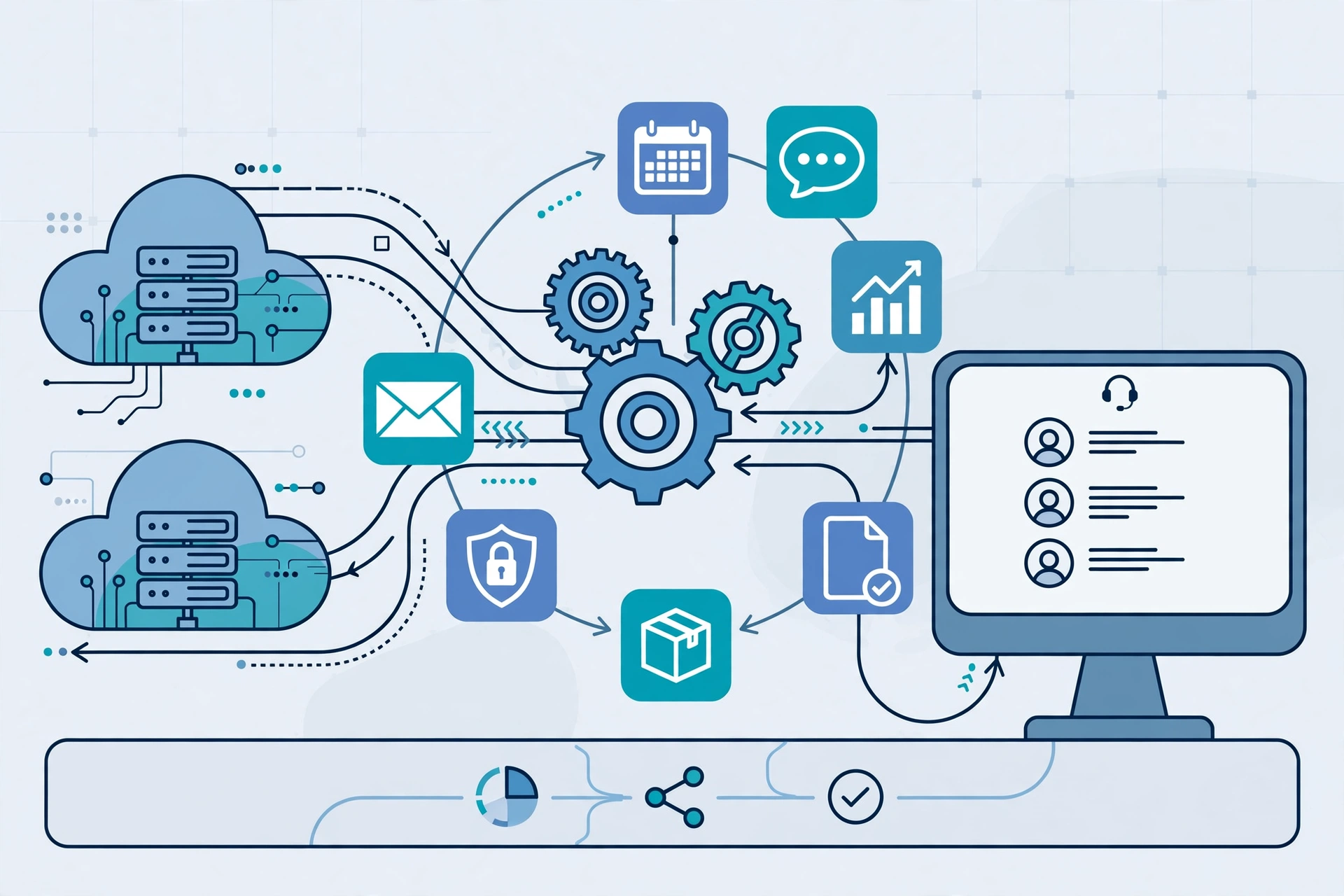
Most implementations follow the same pattern, even when the tools differ. First, a trigger fires — a user submits a request, a system raises an alert, or a schedule reaches its time. Second, the workflow checks conditions: who is asking, what system is involved, and whether the request matches an approved pattern. Third, it acts through integrations or APIs: creating a ticket, granting access, running a script, or deploying an update. Finally, it logs what happened so the result can be audited.
That log matters more than it sounds. Automation without an audit trail is hard to trust, hard to debug, and hard to roll back. Good implementations record the trigger, the decision, and the outcome for every automated action.
The implementation steps described by service-automation guides are consistent: identify manual processes that can be automated, choose tools that fit the existing systems, integrate them into current workflows, then monitor performance and keep improving the automation.
Application service automation vs other automation types
The differences are mainly about scope. The table below separates the overlapping terms.
| Type | What it automates | Typical example |
|---|---|---|
| Application service automation | Services around applications: support, provisioning, deployment, monitoring | Auto-routing a support ticket and resetting access |
| Business process automation | End-to-end business workflows across departments | Invoice approval from receipt to payment |
| Robotic process automation (RPA) | Repetitive screen- and data-based tasks, often across legacy systems | Copying data between two systems that lack an API |
| IT infrastructure automation | Servers, networks, and cloud resources | Provisioning a virtual machine on demand |
Related reading: Automation Bots Explained, Infrastructure Automation Services Explained, and Business Process Testing Automation Explained.
What application service automation can — and cannot — do
It is strong on volume, speed, and consistency. Routine requests get answered at any hour, the same steps run the same way every time, and staff time shifts from repetitive tickets to problems that need judgement. IT automation guides make the same core case: automating provisioning, patching, alerts, and deployments reduces manual effort and error while letting IT operations scale without adding staff in proportion.
It is weak on ambiguity. A request that needs interpretation, a system failure nobody has modelled, or a policy edge case still needs a human. Automation also inherits the quality of its inputs: if the request form is vague or the underlying data is wrong, the automated result will be wrong faster, not better.
How much does application service automation cost?
Application service automation costs vary too widely for a single reliable figure, and any guide that quotes one without context should be treated with suspicion. The real costs are the platform subscription, the time to map and build workflows, integration work with existing tools, and ongoing maintenance when applications change their APIs or interfaces.
A practical way to judge cost is to compare it with the manual alternative: how many hours per month does the task take now, how often does it go wrong, and what does a delay cost? A workflow that saves ten minutes a week may not justify a complex platform, while one that handles hundreds of identical requests a month often does. Managed automation-as-a-service providers, such as those described by Make, can lower the upfront build cost but add a recurring fee and a dependency on the provider.
Analysis: The cheapest automation is usually the one you already own. Many service-desk, cloud, and workflow tools include basic automation, so check existing licences before buying a new platform.
What you need before you automate
Three prerequisites decide whether a project succeeds. First, a documented process: if the team cannot describe the current steps, the exceptions, and who approves what, automation will only encode the confusion. Second, clean, accessible data and working integrations — automation needs APIs or reliable connectors to the systems it touches. Third, an owner: someone responsible for monitoring failures, updating rules when systems change, and switching the workflow off when it misbehaves.
Security belongs on the same list. Automated workflows often hold credentials and access rights, so they need least-privilege permissions, review, and logging like any other privileged system.
Risks and limits to watch
The main risks are over-automation, silent failure, and brittle integrations. Automating a broken process scales its errors. A workflow that fails quietly — a ticket routed nowhere, an update skipped — can go unnoticed longer than a human mistake. And any automation tied to a specific application interface breaks when that application changes, so maintenance is a permanent cost, not a one-off.
A sensible guardrail is to automate in stages: start with one high-volume, low-risk workflow, measure its error rate against the manual baseline, and expand only after it beats that baseline for a sustained period. Keep a human override and a manual fallback for every automated service.
Analysis: where application service automation makes sense
Analysis: Application service automation earns its keep where work is repetitive, high-volume, and governed by clear rules — support triage, access management, routine deployments, and monitoring responses. It is a poor fit for one-off decisions, sensitive judgement calls, and processes that change every week. The test is not whether a task can be automated, but whether automating it stays accurate, auditable, and cheaper to maintain than doing it by hand.
Frequently asked questions
What is application service automation in simple terms?
It is software doing routine application-related service work automatically, such as routing support tickets, granting access, deploying updates, or checking backups, following rules set in advance instead of a person doing each step by hand.
How is application service automation different from RPA?
RPA mimics human actions on screens and in data, often to bridge systems without APIs, while application service automation covers the wider service around applications, including support workflows, provisioning, deployment, and monitoring, and it usually works through APIs and integrations.
What tasks are best for application service automation?
High-volume, repetitive, rule-based tasks work best, such as password resets, access requests, ticket routing, patching, and monitoring alerts. Tasks that need judgement, negotiation, or handling of unusual exceptions should stay with people.
What does application service automation cost?
Costs vary by platform, integration complexity, and whether the work is built in-house or bought as a managed service. Judge it against the hours, errors, and delays of the manual process, and include ongoing maintenance, since integrations break when applications change.
What should a team have in place before automating?
A documented process with its exceptions, clean data and working integrations, least-privilege security and logging, and a named owner who monitors failures and can switch the workflow off. Without those, automation tends to scale errors rather than remove them.
Sources
- Topdesk — Service automation 101
- Zapier — Automation as a Service (AaaS): Guide + examples
- SuperOps — What is IT Automation?
- Make — What is Automation as a Service?