How Can You Renew Your US Passport Online in 2026?
Eligibility Requirements for Online Renewal
To use the official State Department online portal in 2026, you must meet strict eligibility criteria. Your most recent passport must be in your possession, undamaged, and issued when you were 16 years of age or older. Additionally, the passport must have been issued within the last 15 years, and you cannot be changing your name, gender, date of birth, or place of birth during this specific transaction. As the national travel surge continues into the summer of 2026, the online system is the most efficient way to ensure your documents are valid for international departure.
You must be a resident of the United States or a U.S. Territory to qualify for the digital path. The system is currently unavailable to those living abroad or those using an Army Post Office (APO) or Fleet Post Office (FPO) address. When calculating your total travel budget, including the federal mileage rate for trips to the airport or local post offices for other services can help you manage your 2026 travel expenses effectively.
Step-by-Step Guide to the Online Application
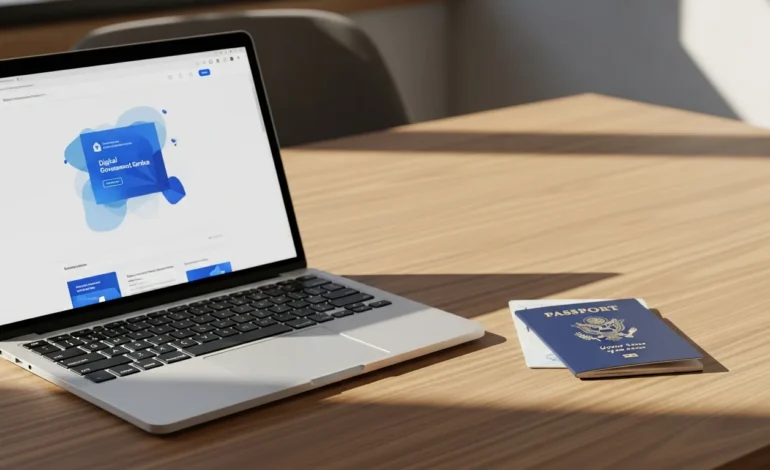
The first step is creating or logging into your MyTravelGov account on the official State Department website. Once logged in, select the “Renew Your Passport” option to begin the secure application. You will be required to enter your current passport information, including the document number and issue date, to verify your identity against federal records. The system will then prompt you to enter your current contact information and emergency contact details.
- Create a MyTravelGov account and verify your email address.
- Enter your most recent passport details accurately to link your profile.
- Complete the digital application form, ensuring all biographical data matches your current legal status.
- Upload a digital passport photo that meets 2026 technical specifications.
- Pay the renewal fees using a credit/debit card or ACH (electronic check).
Digital Photo and Payment Standards
The online portal requires a high-resolution digital photo in JPEG format. The photo must have a plain white or off-white background, and you must maintain a neutral facial expression or a natural smile with both eyes open. In 2026, the automated system uses AI-driven biometric checks to immediately flag photos with shadows, glasses, or incorrect head positioning. If your photo is rejected, you will receive an instant notification to re-upload before the application can proceed to the payment stage.
Fees for 2026 remain standardized for online applicants. A standard passport book renewal costs $130, while a passport card renewal is $30. If you require both, the total is $160. There are no additional “convenience fees” for using the online portal compared to the mail-in process. Once payment is processed, you will receive a confirmation email with a tracking number to monitor your application status through the MyTravelGov dashboard.
Exceptions and What is NOT Allowed
The online renewal portal is designed for routine, uncomplicated renewals and does not support all passport services. You cannot use this system if your passport is lost, stolen, or significantly damaged; these situations require an in-person application using Form DS-11. Furthermore, the online portal does not currently offer expedited service. If you need your passport in less than 6-8 weeks, you must use the traditional mail-in process with an expedited fee or schedule an appointment at a regional passport agency.
Name changes are strictly prohibited through the online portal. If you have legally changed your name due to marriage, divorce, or a court order, you must submit Form DS-82 via mail along with original certified documentation. Additionally, the system cannot process renewals for “Second Valid Passports” or diplomatic/official passports. Failure to adhere to these limitations will result in a rejected application and a delay in receiving your travel documents.
Frequently Asked Questions
Can I renew my child’s passport using the online portal?
No. The online renewal system is strictly limited to adult applicants who were 16 or older when their previous passport was issued. Children under the age of 16 must always apply in person with their parents or legal guardians using Form DS-11. This requirement ensures that the State Department can verify parental consent and the child’s identity through physical documentation and biometric checks.
Do I need to mail my old passport to the State Department?
One of the primary benefits of the 2026 online portal is that you do not need to mail in your physical passport. Once you submit your application online, your previous passport is electronically invalidated for international travel. You should keep your old passport for your records, but you do not need to surrender it physically, which eliminates the risk of the document being lost in the mail during the renewal process.
How long does it take to receive my passport after applying online?
In 2026, the standard processing time for online renewals is 6 to 8 weeks. This timeline begins the moment you submit your payment and receive a confirmation email. While the digital nature of the application reduces transit time to the processing center, the actual security screening and printing phases remain the same as mail-in applications. There is currently no option to pay for expedited 2-3 week processing through the online portal.
What happens if my digital photo is rejected after I pay?
If the State Department’s manual review determines your photo does not meet requirements after you have paid, you will receive an email notification with instructions to upload a new photo. Your application will be placed on hold until a compliant photo is received. This does not require a new application or additional fees, but it will extend the overall processing time beyond the standard 6-8 week window.