Digital Automation Services Explained: What They Are, How They Work, and When to Buy Them
Key takeaway: Digital automation services are outside help for replacing repetitive, manual business work with software: providers assess your processes, build or configure the automation, and often run it for you. They combine tools such as robotic process automation (RPA), workflow automation, and AI-powered intelligent automation, and they pay off fastest on high-volume, rule-based work.
Every business has work that eats time without adding much value: copying data between systems, chasing approvals, reconciling invoices, onboarding new staff. Digital automation services exist to take that work off people’s desks and hand it to software — designed, built, and maintained by a specialist provider rather than your own team.
What digital automation services actually are
Digital automation is an umbrella term for using software to streamline business processes, improving efficiency, accuracy, and cost-effectiveness, as Robotics and Automation News explains. A digital automation service is simply that capability bought as a service: instead of hiring automation engineers and buying platforms yourself, you pay a provider for some or all of the job.
Providers typically offer four kinds of service, as outlined in Martech Zone’s guide to business process automation services: consultation (assessing workflows and spotting automation opportunities), implementation (setting up and integrating the tools), managed services (monitoring, maintaining, and fixing automated processes), and custom development (building tailored automation for unusual needs). Most engagements start with consultation and a pilot on one process before anything is rolled out company-wide.
This is distinct from buying a single automation tool. A tool gives you the software; a service gives you the people who choose it, configure it, connect it to your systems, and keep it running when those systems change.
Types of digital automation services compared
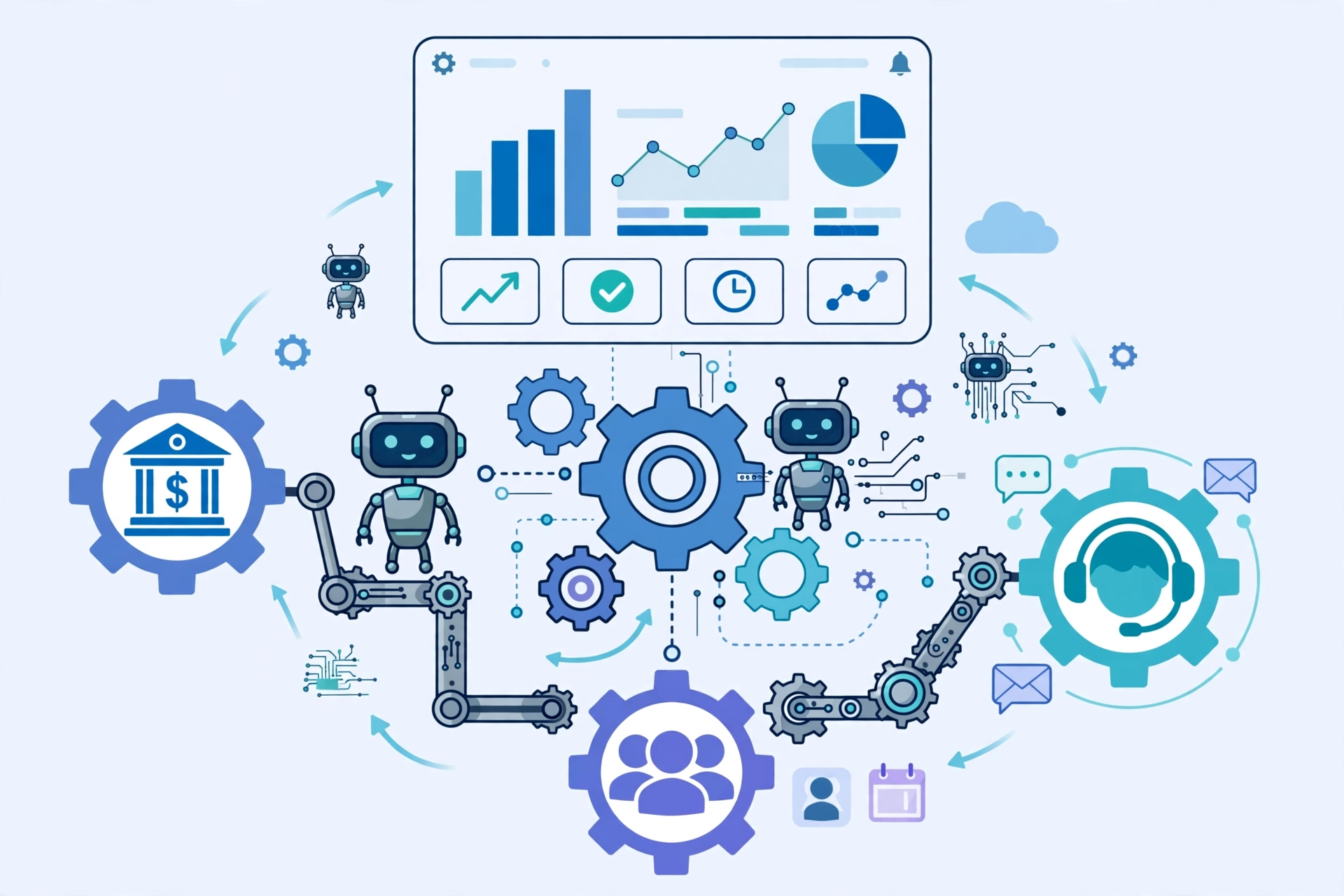
The services on offer map to different layers of automation. ServiceNow’s overview of business process automation breaks the field into task automation, workflow automation, end-to-end process automation, RPA, and intelligent automation — and a good provider will tell you which layer your problem actually sits at.
| Type | What it automates | Best for |
|---|---|---|
| Robotic process automation (RPA) | Single, repetitive, rule-based tasks such as data entry and invoice processing | High-volume tasks inside existing software, with no system changes |
| Workflow automation | Multi-step sequences with handoffs and approvals between people and systems | Approvals, onboarding, and any process where work stalls between steps |
| Business / digital process automation (BPA / DPA) | Whole end-to-end processes spanning departments and systems | Order-to-cash, claims handling, and other cross-team processes |
| Intelligent automation | Work involving unstructured data, judgment, or decisions, using AI and machine learning | Document reading, customer-service triage, fraud checks |
Related explainers on this site cover two of these layers in depth: automation bots (the RPA layer) and IT process automation tools.
How a digital automation service engagement works
A typical engagement follows five steps. First, the provider maps the process as it runs today and measures it: how long it takes, how often it errors, and what it costs in staff hours. Second, it redesigns the process — automating a bad process just produces bad results faster, so this step matters more than the tool choice. Third, it builds and tests the automation against real data, including the awkward exceptions. Fourth, staff are trained and the automation goes live, usually alongside the old manual method for a short parallel run. Fifth, the provider monitors it, because automated processes break silently when a connected system changes its format or interface.
That last step is why managed services exist. Industry reporting regularly notes that a large share of deployed bots need ongoing maintenance; buying automation without a maintenance plan is how companies end up with a shelf of dead bots.
Digital automation services vs doing it in-house vs buying a tool
| Route | Upfront cost | Speed | Best when |
|---|---|---|---|
| Hire a digital automation service | Higher fees, no hiring | Fastest to a working pilot | You need results this quarter or lack automation skills in-house |
| Build in-house | Recruitment and platform costs | Slowest to start | Automation is a long-term, core capability you will run for years |
| Buy an off-the-shelf tool | Lowest licence cost | Fast for simple tasks | The process is standard and your team can configure it |
What digital automation services cost
There is no standard price, and any provider quoting one without seeing your processes is guessing. Pricing usually falls into three models: project fees for a defined build, monthly managed-service fees for running and maintaining automations, and consumption-based pricing where you pay per transaction or per bot. Small, single-process pilots can cost a few thousand dollars; enterprise-wide programmes run into six figures a year. The honest way to judge a quote is against the measured cost of the manual process it replaces: hours saved, error rates cut, and turnaround time shortened.
One useful benchmark for the market’s direction: Strategic Market Research valued the digital process automation market at USD 15.6 billion in 2024 and projected USD 37.2 billion by 2030. Analyst forecasts vary widely by definition and scope, so treat any single market figure as directional, not precise — but the direction of travel is consistent across firms.
Prerequisites: what you need before hiring a provider
You need three things before a provider can help. First, a process worth automating: high volume, stable rules, and digital inputs. Automating a process that changes every week is a losing battle. Second, access: the provider needs to see your systems and data, which means security reviews and data agreements up front, especially in finance and healthcare. Third, an owner on your side — someone who can approve redesign decisions and confirm the automated output is correct. Without that owner, projects drift.
Also check the plumbing: if your core work still lives on paper or in disconnected spreadsheets, data cleanup comes before automation. Providers that skip this step tend to deliver bots that faithfully reproduce messy inputs.
Risks and limits of digital automation services
Automation is not magic, and the risks are practical. Bots break when target applications update their interfaces. Automating a process without fixing its underlying flaws locks those flaws in. Staff may resist or quietly work around a system they were never consulted about. And handing a provider deep access to your systems creates a security and dependency risk — check how your data is handled, what happens to the automations if you leave, and whether documentation is part of the deliverable.
Analysis: the pattern behind most failed automation projects is not the technology but the scoping. Companies automate the easiest task first, declare victory, and never tackle the end-to-end process where the real savings sit. A provider that pushes back on your first choice of process — and asks what the whole workflow costs — is usually the more serious partner.
When digital automation services are worth it
They are worth it when the work is high-volume, rule-based, and stable; when errors are expensive; and when your team lacks the time or skills to build automation itself. They are a poor fit when the process is tiny, changes constantly, or exists mainly on paper. A good rule: if a task takes a skilled employee hours a week and follows the same steps every time, it belongs on the automation shortlist. If it needs fresh judgment every time, it belongs with a person — possibly assisted by AI, not replaced by a bot.
For a related infrastructure angle, see our explainer on infrastructure automation services, and for a concrete use case, claims workflow automation.
Frequently asked questions
What is the difference between digital automation services and RPA?
RPA is one tool inside the wider field: software bots that mimic human clicks and keystrokes on rule-based tasks. Digital automation services are the broader offering — a provider may use RPA, workflow automation, process redesign, and AI together to automate a whole process, not just one task.
How much do digital automation services cost?
Pricing varies by scope and model: project fees for a defined build, monthly fees for managed services, or per-transaction pricing. Small pilots can cost a few thousand dollars, while enterprise programmes cost far more. Judge any quote against the measured cost of the manual process it replaces.
Which business processes should be automated first?
Start with processes that are high-volume, rule-based, stable, and digital — such as invoice processing, employee onboarding, and data reconciliation. Avoid processes that change constantly, depend on paper, or require fresh judgment on every case.
Do small businesses benefit from digital automation services?
Yes, often through workflow tools and managed services rather than enterprise RPA platforms. Small firms typically automate one painful process — invoicing, appointment scheduling, or customer follow-ups — and expand only after the first automation proves its savings.
What can go wrong with digital automation?
Automations break when connected systems change, and automating a flawed process locks in its flaws. Other common failures are poor maintenance, staff resistance when workers are not consulted, and vendor lock-in when documentation is not handed over. A maintenance plan and an internal process owner reduce all of these risks.
Sources
- ServiceNow — What is Business Process Automation?
- Robotics and Automation News — An introduction to digital automation: RPA, BPA, and intelligent solutions explained
- Martech Zone — Business Process Automation Solutions: Steps, Services, and Benefits Explained
- Strategic Market Research — Digital Process Automation Market report
- Xero — Business automation: what it is and how to start today